What does it do?
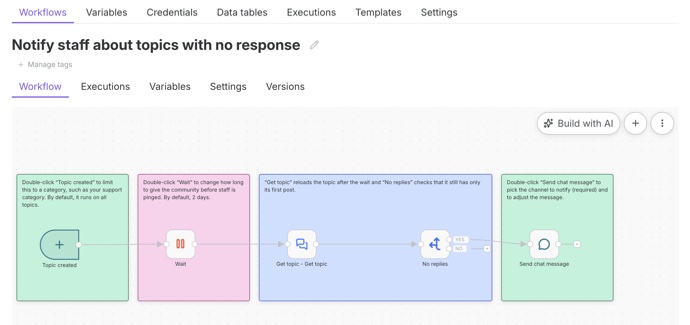
Discourse Workflows lets you automate almost anything in your community without writing any code. Using a visual, point-and-click builder, you set up a sequence of steps: choose what triggers the workflow, add any conditions to check, then pick the actions to run. Welcome new members with a personal message, move posts to the right category, notify your team when something needs attention, or run tasks on a schedule.
Every run is logged, so you can see exactly what happened and troubleshoot anything that did not go as expected.
How do I use it?
Workflows comes built into Discourse, so there is nothing to install. Go to Admin > Plugins > Workflows, click New workflow, and pick a trigger to get started. Build out your steps, then click Publish to turn it on. You can also start from a ready-made template to get up and running quickly. See Discourse Workflows for the full guide.
Workflows is available on Business and Enterprise hosting plans.